> ## Documentation Index
> Fetch the complete documentation index at: https://developer.kodexa.ai/llms.txt
> Use this file to discover all available pages before exploring further.
# Service Bridges
> Configure external API integrations and proxy endpoints in Kodexa Studio with service bridges, giving modules secure access to authenticated services.
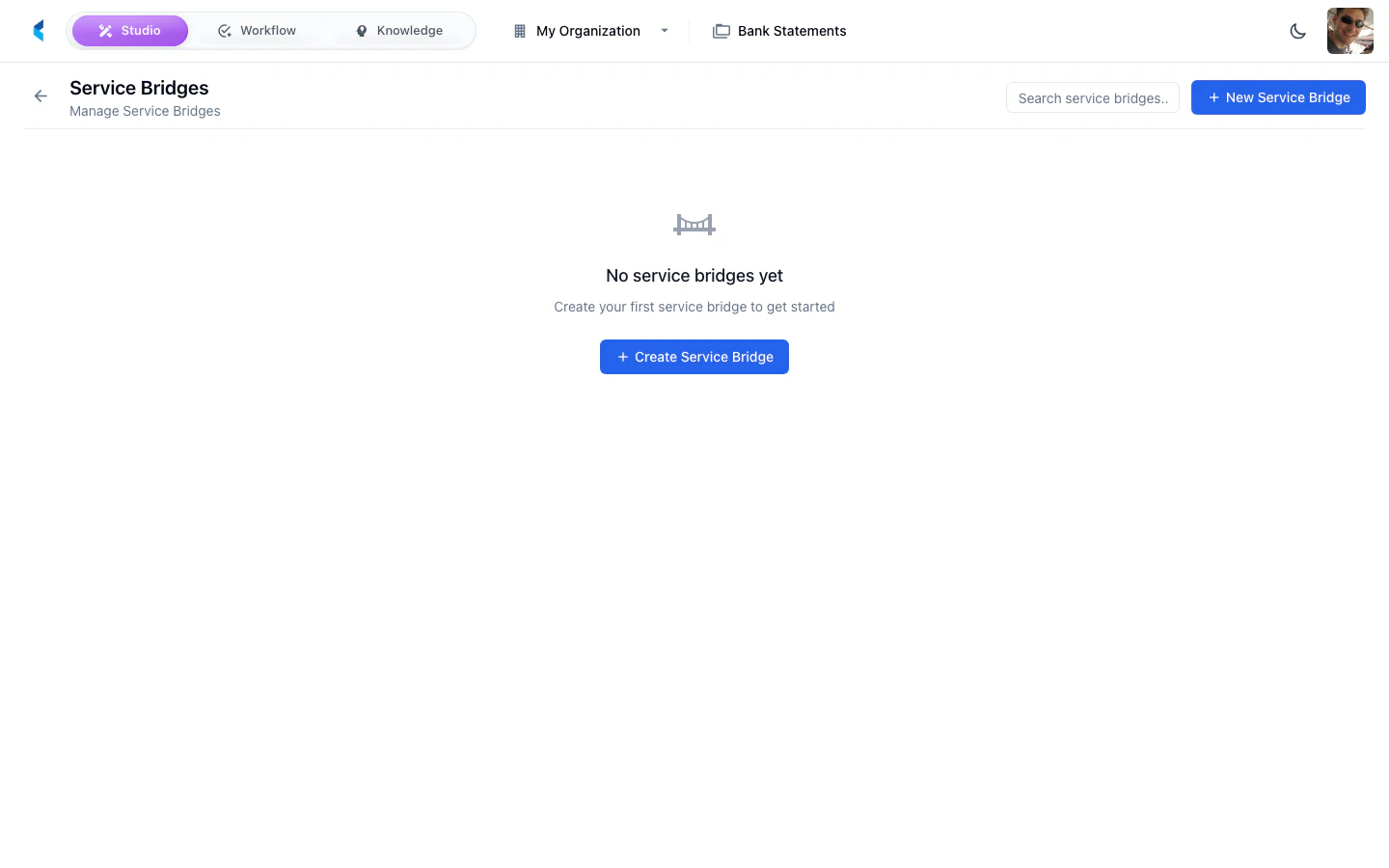
Service Bridges allow you to configure proxy endpoints that connect your project to external APIs. They enable modules and the platform to interact with external services through a managed, authenticated gateway.
 ## What are Service Bridges?
A service bridge creates a proxy endpoint within the Kodexa platform that forwards requests to an external API. This provides:
* **Centralized authentication** — API credentials are managed as [organization secrets](/studio/organization/secrets), not embedded in modules. The platform supports automatic OAuth token management.
* **Request routing** — Modules reference a bridge endpoint rather than external URLs directly
* **Caching** — Responses can be cached per-endpoint with configurable TTL
* **Request/response transformation** — JavaScript hooks can modify requests before sending and responses before returning
* **Monitoring** — All requests through bridges are logged and can be monitored
## Managing Service Bridges
### Creating a Service Bridge
Open the creation form from the Service Bridges page.
Set the bridge name, target URL, authentication method, and any required headers.
Verify that the bridge can reach the external API.
The bridge endpoint becomes available for use in your project's modules and pipelines.
Service bridges use organization secrets for authentication credentials. Make sure the required secrets are configured before creating a bridge that needs them.
## YAML Configuration Reference
Service bridges are defined in YAML and deployed with `kdx sync`. Here is the full structure:
```yaml theme={null}
type: serviceBridge
slug: my-bridge
orgSlug: my-org
name: "My External API"
template: false
publicAccess: false
metadata:
baseUrl: "https://api.example.com" # Supports ${secrets.X} interpolation
description: "Connects to the example API"
provider: "Example Corp"
agentCallable: false # Allow agents to call this bridge
# Authentication (see below for details)
auth:
type: oauth2_client_credentials
tokenUrl: "/v1/auth/token" # Relative to baseUrl, or absolute
clientId: "${secrets.MY_CLIENT_ID}"
clientSecret: "${secrets.MY_CLIENT_SECRET}"
defaultHeaders:
- name: "Content-Type"
value: "application/json"
endpoints:
- name: "get-data"
description: "Fetch data from the API"
path: "/v1/data"
method: GET
cacheEnabled: true
cacheTtlSeconds: 300
```
### Secret References
Use `${secrets.SECRET_NAME}` to reference [organization secrets](/studio/organization/secrets) in your bridge configuration. The platform resolves these at request time. This works in:
* `baseUrl`
* `auth.clientId`, `auth.clientSecret`, `auth.tokenUrl`
* Header values
```yaml theme={null}
metadata:
baseUrl: "${secrets.MY_API_BASE_URL}"
auth:
clientId: "${secrets.MY_CLIENT_ID}"
clientSecret: "${secrets.MY_CLIENT_SECRET}"
```
`secretRef` on a header is not supported. A header configured with `secretRef` is rejected with a `400` naming the header, rather than being sent upstream with an empty value — which is what used to happen, producing a `401` from the external API with nothing pointing at the real cause. Put the secret in the header `value` as `${secrets.NAME}` under `defaultHeaders` instead.
### Agent Access
By default a bridge is callable by people and by the project's own scripts, forms, and Activity steps. Set `agentCallable` to let automated agents call it as well:
```yaml theme={null}
metadata:
agentCallable: true
```
| Field | Type | Default | Description |
| --------------- | ------- | ------- | ---------------------------------------------------------------------------------------------- |
| `agentCallable` | boolean | `false` | Allows agents to call this bridge's endpoints through the proxy. Absent or `false` means deny. |
Two conditions are both required before an agent may call a bridge:
1. `agentCallable` is `true` — the **Callable by agents** toggle under **Agent access** on the bridge's General tab, or the field above in YAML.
2. The bridge is bound to the agent's project as a project resource.
Agents see only the bridges that satisfy both conditions, and cannot change the flag or the project binding themselves. A call that fails either check is refused with `403`. Credentials stay on the platform and are never shown to the agent.
The same two checks admit both [activity-plan `AGENT` steps](/guides/activity-plans/agent-steps) and module or task executions running as the project's assistant, so a module can call the bridges bound to its own project. Any caller whose project cannot be resolved is denied.
### Egress Restrictions
A bridge must target a publicly resolvable host. A destination that resolves to a loopback, private, link-local, or cloud-metadata address is refused before any connection is made, as are hostnames that are platform-internal by name (`localhost` and the platform's own internal domains). Every hop of a redirect chain is re-checked rather than followed blindly, and the resolved address is pinned for the call. A refused call through the proxy returns `400` with `service bridge egress denied` and the reason; a refused `BRIDGE_CALL` Activity step fails with the same reason.
The check covers `auth.tokenUrl` as well as endpoint paths, so an OAuth token endpoint must also be publicly resolvable.
Self-hosted deployments that must reach an internal mock or test service can set `BRIDGE_EGRESS_PRIVATE_HOST_ALLOWLIST` — a comma-separated list of exact hostnames — in the environment of **both** the API and the orchestrator. Matching is exact and case-insensitive, with no wildcards and no CIDR ranges; a redirect from an exempted host into any other private destination is still refused; and an active allowlist is logged as a warning at startup. It is intended for development and test environments only.
## Authentication
### OAuth 2.0 Client Credentials
The platform can automatically manage OAuth 2.0 client credentials token lifecycle — acquiring tokens, caching them, and refreshing on expiry. This eliminates the need for external token rotation.
```yaml theme={null}
metadata:
auth:
type: oauth2_client_credentials
tokenUrl: "/v1/auth/token"
clientId: "${secrets.CLIENT_ID}"
clientSecret: "${secrets.CLIENT_SECRET}"
```
The platform will:
1. Fetch a token from the token endpoint on the first request
2. Cache the token until near expiry
3. Automatically refresh when the token expires
4. Retry once with a fresh token if the upstream API returns 401 or 403
#### Standard vs Custom Token Requests
Most OAuth providers use the standard form-encoded format (RFC 6749). The platform uses this by default:
```
POST /token
Content-Type: application/x-www-form-urlencoded
grant_type=client_credentials&client_id=...&client_secret=...
```
If your token endpoint expects a custom JSON body, use `requestFormat: custom`:
```yaml theme={null}
metadata:
auth:
type: oauth2_client_credentials
tokenUrl: "/v1/auth/token"
clientId: "${secrets.CLIENT_ID}"
clientSecret: "${secrets.CLIENT_SECRET}"
requestFormat: custom
requestBody:
grantType: "client_credentials"
clientId: "${auth.clientId}"
clientSecret: "${auth.clientSecret}"
```
The `${auth.clientId}` and `${auth.clientSecret}` placeholders in `requestBody` are substituted with the resolved values from the `auth` block.
#### Custom Response Mapping
If the token endpoint returns non-standard field names, use `responseMapping`:
```yaml theme={null}
metadata:
auth:
responseMapping:
accessToken: "accessToken" # Default: "access_token"
expiresIn: "expiresIn" # Default: "expires_in"
```
#### Full Auth Configuration Reference
| Field | Type | Default | Description |
| ------------------------- | ------- | ----------------- | ------------------------------------------------------------------ |
| `type` | string | *required* | Authentication type. Currently `oauth2_client_credentials`. |
| `tokenUrl` | string | *required* | Token endpoint URL. Relative paths are resolved against `baseUrl`. |
| `clientId` | string | *required* | OAuth client ID. Supports `${secrets.X}`. |
| `clientSecret` | string | *required* | OAuth client secret. Supports `${secrets.X}`. |
| `requestFormat` | string | `"standard"` | `"standard"` (form-encoded) or `"custom"` (JSON body). |
| `requestBody` | object | — | Custom JSON body template when `requestFormat` is `"custom"`. |
| `responseMapping` | object | — | Maps non-standard token response field names. |
| `tokenCacheBufferSeconds` | integer | `60` | Seconds before expiry to refresh the token. |
| `headerName` | string | `"Authorization"` | HTTP header for the token. |
| `headerPrefix` | string | `"Bearer"` | Prefix prepended to the token value. |
### Static API Key / Bearer Token
For APIs that use a static API key or pre-generated token, set it directly in headers using a secret reference in the header's `value`:
```yaml theme={null}
metadata:
defaultHeaders:
- name: "Authorization"
value: "Bearer ${secrets.MY_API_TOKEN}"
- name: "X-API-Key"
value: "${secrets.MY_API_KEY}"
```
This is the supported placement for a header credential. `${secrets.NAME}` in a header `value` is resolved on the platform immediately before the request goes out — on `defaultHeaders` and on endpoint-level `headers` alike — and a header configured with `secretRef` instead is rejected with a `400` naming the header.
## Endpoints
Each endpoint defines a path on the external API that the bridge exposes.
```yaml theme={null}
endpoints:
- name: "get-users" # Used in serviceBridge.call()
description: "List all users"
path: "/v1/users" # Appended to baseUrl
method: GET
cacheEnabled: true # Cache GET responses
cacheTtlSeconds: 600 # Cache for 10 minutes
```
The `name` is matched exactly. Calling a name the bridge does not define returns an error listing the endpoint names it does define, so a misspelling is reported as one — it is never resolved to another endpoint.
### Request and Response Schemas
Optionally document the expected request and response shapes using JSON Schema:
```yaml theme={null}
endpoints:
- name: "create-user"
path: "/v1/users"
method: POST
requestSchema:
type: object
properties:
name:
type: string
email:
type: string
required:
- name
- email
responseSchema:
type: object
properties:
id:
type: string
name:
type: string
```
`requestSchema.required` is also a runtime guard. While any required field is absent, the proxy returns an empty `[]` result without calling the external API — the behaviour that keeps a dependent dropdown showing no options until its prerequisite field has been filled in.
A required field counts as supplied when it appears in **either** the JSON body **or** the query string, so a GET-style endpoint that carries its parameters in the URL reaches the external service instead of short-circuiting. Presence is what is tested, not value: an empty string, `0`, or `false` all satisfy a required field, while a missing key or an explicit null does not.
### Script Hooks
Endpoints support JavaScript hooks for request/response transformation:
| Hook | Runs | Input | Can Return |
| ----------------- | ----------------------------------------- | -------------------------- | -------------------- |
| `initScript` | Once per request (when no client context) | `{headers, config}` | `{headers, context}` |
| `preSendScript` | Before each outbound call | `{headers, body, context}` | `{headers, body}` |
| `postReplyScript` | After each response | `{statusCode, body}` | `{body}` |
```yaml theme={null}
endpoints:
- name: "lookup"
path: "/v1/lookup"
method: POST
postReplyScript: |
var data = JSON.parse(input.body);
var options = data.map(function(item) {
return { label: item.name, value: item.code };
});
return { body: JSON.stringify(options) };
```
## Using Service Bridges from Script Steps
Service bridges that are added as project resources can be called directly from [script steps](/guides/script-steps) in plan workflows. Scripts can discover available bridges with `serviceBridge.list()` and make HTTP requests with `serviceBridge.call()`.
```javascript theme={null}
// List all bridges available to this project
var bridges = serviceBridge.list();
// Call an endpoint
var result = serviceBridge.call("my-bridge", "get-data");
log("info", "Response: " + JSON.stringify(result));
return { action: "done" };
```
See the [Script Steps guide](/guides/script-steps#calling-service-bridges) for full documentation on using service bridges from scripts.
## Using Service Bridges from Data Forms
Data forms can call service bridge endpoints both declaratively and from scripts:
### Declarative (Selection Options)
In taxonomy definitions, use `selectionOptionFormula` to populate dropdowns:
```yaml theme={null}
selectionOptionFormula: 'serviceBridgeCall("my-org/my-bridge", "get-options")'
```
With parameters:
```yaml theme={null}
selectionOptionFormula: 'serviceBridgeCall("my-org/my-bridge", "get-options", "paramName", {fieldPath})'
```
### From Data Form Scripts
```javascript theme={null}
var result = await bridge.serviceBridge.call(
'my-org/my-bridge',
'get-data',
{ id: fv['orders/code'] }
);
```
## Loading Shared Modules in Bridge Scripts
Service bridge endpoint scripts can load shared JavaScript modules using the **Module Refs** picker in the endpoint configuration. Pre-loaded modules' functions and variables are available in global scope within your bridge script, letting you reuse request/response transformation logic across endpoints.
Select one or more [JavaScript modules](/guides/modules/javascript-module) from your organization. They are fetched and executed in order before your bridge script runs.
```javascript theme={null}
// Assuming "my-org/transform-utils" is loaded via Module Refs
var payload = transformRequest(request);
var result = serviceBridge.call("external-api", "submit", payload);
return formatResponse(result);
```
## What are Service Bridges?
A service bridge creates a proxy endpoint within the Kodexa platform that forwards requests to an external API. This provides:
* **Centralized authentication** — API credentials are managed as [organization secrets](/studio/organization/secrets), not embedded in modules. The platform supports automatic OAuth token management.
* **Request routing** — Modules reference a bridge endpoint rather than external URLs directly
* **Caching** — Responses can be cached per-endpoint with configurable TTL
* **Request/response transformation** — JavaScript hooks can modify requests before sending and responses before returning
* **Monitoring** — All requests through bridges are logged and can be monitored
## Managing Service Bridges
### Creating a Service Bridge
Open the creation form from the Service Bridges page.
Set the bridge name, target URL, authentication method, and any required headers.
Verify that the bridge can reach the external API.
The bridge endpoint becomes available for use in your project's modules and pipelines.
Service bridges use organization secrets for authentication credentials. Make sure the required secrets are configured before creating a bridge that needs them.
## YAML Configuration Reference
Service bridges are defined in YAML and deployed with `kdx sync`. Here is the full structure:
```yaml theme={null}
type: serviceBridge
slug: my-bridge
orgSlug: my-org
name: "My External API"
template: false
publicAccess: false
metadata:
baseUrl: "https://api.example.com" # Supports ${secrets.X} interpolation
description: "Connects to the example API"
provider: "Example Corp"
agentCallable: false # Allow agents to call this bridge
# Authentication (see below for details)
auth:
type: oauth2_client_credentials
tokenUrl: "/v1/auth/token" # Relative to baseUrl, or absolute
clientId: "${secrets.MY_CLIENT_ID}"
clientSecret: "${secrets.MY_CLIENT_SECRET}"
defaultHeaders:
- name: "Content-Type"
value: "application/json"
endpoints:
- name: "get-data"
description: "Fetch data from the API"
path: "/v1/data"
method: GET
cacheEnabled: true
cacheTtlSeconds: 300
```
### Secret References
Use `${secrets.SECRET_NAME}` to reference [organization secrets](/studio/organization/secrets) in your bridge configuration. The platform resolves these at request time. This works in:
* `baseUrl`
* `auth.clientId`, `auth.clientSecret`, `auth.tokenUrl`
* Header values
```yaml theme={null}
metadata:
baseUrl: "${secrets.MY_API_BASE_URL}"
auth:
clientId: "${secrets.MY_CLIENT_ID}"
clientSecret: "${secrets.MY_CLIENT_SECRET}"
```
`secretRef` on a header is not supported. A header configured with `secretRef` is rejected with a `400` naming the header, rather than being sent upstream with an empty value — which is what used to happen, producing a `401` from the external API with nothing pointing at the real cause. Put the secret in the header `value` as `${secrets.NAME}` under `defaultHeaders` instead.
### Agent Access
By default a bridge is callable by people and by the project's own scripts, forms, and Activity steps. Set `agentCallable` to let automated agents call it as well:
```yaml theme={null}
metadata:
agentCallable: true
```
| Field | Type | Default | Description |
| --------------- | ------- | ------- | ---------------------------------------------------------------------------------------------- |
| `agentCallable` | boolean | `false` | Allows agents to call this bridge's endpoints through the proxy. Absent or `false` means deny. |
Two conditions are both required before an agent may call a bridge:
1. `agentCallable` is `true` — the **Callable by agents** toggle under **Agent access** on the bridge's General tab, or the field above in YAML.
2. The bridge is bound to the agent's project as a project resource.
Agents see only the bridges that satisfy both conditions, and cannot change the flag or the project binding themselves. A call that fails either check is refused with `403`. Credentials stay on the platform and are never shown to the agent.
The same two checks admit both [activity-plan `AGENT` steps](/guides/activity-plans/agent-steps) and module or task executions running as the project's assistant, so a module can call the bridges bound to its own project. Any caller whose project cannot be resolved is denied.
### Egress Restrictions
A bridge must target a publicly resolvable host. A destination that resolves to a loopback, private, link-local, or cloud-metadata address is refused before any connection is made, as are hostnames that are platform-internal by name (`localhost` and the platform's own internal domains). Every hop of a redirect chain is re-checked rather than followed blindly, and the resolved address is pinned for the call. A refused call through the proxy returns `400` with `service bridge egress denied` and the reason; a refused `BRIDGE_CALL` Activity step fails with the same reason.
The check covers `auth.tokenUrl` as well as endpoint paths, so an OAuth token endpoint must also be publicly resolvable.
Self-hosted deployments that must reach an internal mock or test service can set `BRIDGE_EGRESS_PRIVATE_HOST_ALLOWLIST` — a comma-separated list of exact hostnames — in the environment of **both** the API and the orchestrator. Matching is exact and case-insensitive, with no wildcards and no CIDR ranges; a redirect from an exempted host into any other private destination is still refused; and an active allowlist is logged as a warning at startup. It is intended for development and test environments only.
## Authentication
### OAuth 2.0 Client Credentials
The platform can automatically manage OAuth 2.0 client credentials token lifecycle — acquiring tokens, caching them, and refreshing on expiry. This eliminates the need for external token rotation.
```yaml theme={null}
metadata:
auth:
type: oauth2_client_credentials
tokenUrl: "/v1/auth/token"
clientId: "${secrets.CLIENT_ID}"
clientSecret: "${secrets.CLIENT_SECRET}"
```
The platform will:
1. Fetch a token from the token endpoint on the first request
2. Cache the token until near expiry
3. Automatically refresh when the token expires
4. Retry once with a fresh token if the upstream API returns 401 or 403
#### Standard vs Custom Token Requests
Most OAuth providers use the standard form-encoded format (RFC 6749). The platform uses this by default:
```
POST /token
Content-Type: application/x-www-form-urlencoded
grant_type=client_credentials&client_id=...&client_secret=...
```
If your token endpoint expects a custom JSON body, use `requestFormat: custom`:
```yaml theme={null}
metadata:
auth:
type: oauth2_client_credentials
tokenUrl: "/v1/auth/token"
clientId: "${secrets.CLIENT_ID}"
clientSecret: "${secrets.CLIENT_SECRET}"
requestFormat: custom
requestBody:
grantType: "client_credentials"
clientId: "${auth.clientId}"
clientSecret: "${auth.clientSecret}"
```
The `${auth.clientId}` and `${auth.clientSecret}` placeholders in `requestBody` are substituted with the resolved values from the `auth` block.
#### Custom Response Mapping
If the token endpoint returns non-standard field names, use `responseMapping`:
```yaml theme={null}
metadata:
auth:
responseMapping:
accessToken: "accessToken" # Default: "access_token"
expiresIn: "expiresIn" # Default: "expires_in"
```
#### Full Auth Configuration Reference
| Field | Type | Default | Description |
| ------------------------- | ------- | ----------------- | ------------------------------------------------------------------ |
| `type` | string | *required* | Authentication type. Currently `oauth2_client_credentials`. |
| `tokenUrl` | string | *required* | Token endpoint URL. Relative paths are resolved against `baseUrl`. |
| `clientId` | string | *required* | OAuth client ID. Supports `${secrets.X}`. |
| `clientSecret` | string | *required* | OAuth client secret. Supports `${secrets.X}`. |
| `requestFormat` | string | `"standard"` | `"standard"` (form-encoded) or `"custom"` (JSON body). |
| `requestBody` | object | — | Custom JSON body template when `requestFormat` is `"custom"`. |
| `responseMapping` | object | — | Maps non-standard token response field names. |
| `tokenCacheBufferSeconds` | integer | `60` | Seconds before expiry to refresh the token. |
| `headerName` | string | `"Authorization"` | HTTP header for the token. |
| `headerPrefix` | string | `"Bearer"` | Prefix prepended to the token value. |
### Static API Key / Bearer Token
For APIs that use a static API key or pre-generated token, set it directly in headers using a secret reference in the header's `value`:
```yaml theme={null}
metadata:
defaultHeaders:
- name: "Authorization"
value: "Bearer ${secrets.MY_API_TOKEN}"
- name: "X-API-Key"
value: "${secrets.MY_API_KEY}"
```
This is the supported placement for a header credential. `${secrets.NAME}` in a header `value` is resolved on the platform immediately before the request goes out — on `defaultHeaders` and on endpoint-level `headers` alike — and a header configured with `secretRef` instead is rejected with a `400` naming the header.
## Endpoints
Each endpoint defines a path on the external API that the bridge exposes.
```yaml theme={null}
endpoints:
- name: "get-users" # Used in serviceBridge.call()
description: "List all users"
path: "/v1/users" # Appended to baseUrl
method: GET
cacheEnabled: true # Cache GET responses
cacheTtlSeconds: 600 # Cache for 10 minutes
```
The `name` is matched exactly. Calling a name the bridge does not define returns an error listing the endpoint names it does define, so a misspelling is reported as one — it is never resolved to another endpoint.
### Request and Response Schemas
Optionally document the expected request and response shapes using JSON Schema:
```yaml theme={null}
endpoints:
- name: "create-user"
path: "/v1/users"
method: POST
requestSchema:
type: object
properties:
name:
type: string
email:
type: string
required:
- name
- email
responseSchema:
type: object
properties:
id:
type: string
name:
type: string
```
`requestSchema.required` is also a runtime guard. While any required field is absent, the proxy returns an empty `[]` result without calling the external API — the behaviour that keeps a dependent dropdown showing no options until its prerequisite field has been filled in.
A required field counts as supplied when it appears in **either** the JSON body **or** the query string, so a GET-style endpoint that carries its parameters in the URL reaches the external service instead of short-circuiting. Presence is what is tested, not value: an empty string, `0`, or `false` all satisfy a required field, while a missing key or an explicit null does not.
### Script Hooks
Endpoints support JavaScript hooks for request/response transformation:
| Hook | Runs | Input | Can Return |
| ----------------- | ----------------------------------------- | -------------------------- | -------------------- |
| `initScript` | Once per request (when no client context) | `{headers, config}` | `{headers, context}` |
| `preSendScript` | Before each outbound call | `{headers, body, context}` | `{headers, body}` |
| `postReplyScript` | After each response | `{statusCode, body}` | `{body}` |
```yaml theme={null}
endpoints:
- name: "lookup"
path: "/v1/lookup"
method: POST
postReplyScript: |
var data = JSON.parse(input.body);
var options = data.map(function(item) {
return { label: item.name, value: item.code };
});
return { body: JSON.stringify(options) };
```
## Using Service Bridges from Script Steps
Service bridges that are added as project resources can be called directly from [script steps](/guides/script-steps) in plan workflows. Scripts can discover available bridges with `serviceBridge.list()` and make HTTP requests with `serviceBridge.call()`.
```javascript theme={null}
// List all bridges available to this project
var bridges = serviceBridge.list();
// Call an endpoint
var result = serviceBridge.call("my-bridge", "get-data");
log("info", "Response: " + JSON.stringify(result));
return { action: "done" };
```
See the [Script Steps guide](/guides/script-steps#calling-service-bridges) for full documentation on using service bridges from scripts.
## Using Service Bridges from Data Forms
Data forms can call service bridge endpoints both declaratively and from scripts:
### Declarative (Selection Options)
In taxonomy definitions, use `selectionOptionFormula` to populate dropdowns:
```yaml theme={null}
selectionOptionFormula: 'serviceBridgeCall("my-org/my-bridge", "get-options")'
```
With parameters:
```yaml theme={null}
selectionOptionFormula: 'serviceBridgeCall("my-org/my-bridge", "get-options", "paramName", {fieldPath})'
```
### From Data Form Scripts
```javascript theme={null}
var result = await bridge.serviceBridge.call(
'my-org/my-bridge',
'get-data',
{ id: fv['orders/code'] }
);
```
## Loading Shared Modules in Bridge Scripts
Service bridge endpoint scripts can load shared JavaScript modules using the **Module Refs** picker in the endpoint configuration. Pre-loaded modules' functions and variables are available in global scope within your bridge script, letting you reuse request/response transformation logic across endpoints.
Select one or more [JavaScript modules](/guides/modules/javascript-module) from your organization. They are fetched and executed in order before your bridge script runs.
```javascript theme={null}
// Assuming "my-org/transform-utils" is loaded via Module Refs
var payload = transformRequest(request);
var result = serviceBridge.call("external-api", "submit", payload);
return formatResponse(result);
```